
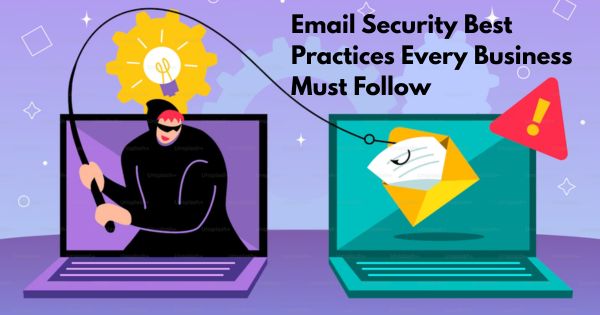
Email remains the most widely used business communication tool, and also the most exploited attack vector. From phishing and business email compromise (BEC) to malware-laced attachments and credential theft, email-based threats are responsible for a significant percentage of data breaches worldwide.
Whether you manage a small office or an enterprise network, following proven email security best practices is essential to protecting sensitive business data, customer information, and organizational reputation.
This guide outlines the most important email security practices every business should implement to reduce risk and strengthen its overall data protection strategy.
Why Email Security Is Critical for Businesses
Emails often carry confidential data such as financial documents, login credentials, contracts, and customer records. A single compromised inbox can give attackers access to entire systems, leading to:
- Data breaches and financial losses
- Regulatory and compliance violations
- Reputation damage
- Business disruption
Strong email security helps prevent unauthorized access, reduces phishing risks, and safeguards business communications across the organization.
Email Security Best Practices You Must Follow
1. Use Strong, Unique Passwords
Passwords remain the first line of defense for email accounts.
Best practices include:
- Minimum of 8–12 characters
- Combination of uppercase letters, lowercase letters, numbers, and symbols
- Avoid personal or easily guessable information
- Use unique passwords for each account
Implementing a password manager can help employees maintain strong credentials without reuse
2. Enable Multi-Factor Authentication
Multi-factor authentication adds an extra verification step beyond passwords, such as a one-time code or biometric confirmation.
Even if credentials are compromised, MFA significantly reduces the chance of unauthorized access to email accounts.
3. Deploy a Secure Email Gateway
A secure email gateway is one of the most effective defenses against email-based threats.
It helps:
- Block phishing emails and spoofed domains
- Detect malicious attachments and links
- Prevent spam and malware before emails reach inboxes
- Protect against business email compromise (BEC)
This layer stops threats before users interact with them, reducing reliance on human judgment alone.
4. Train Employees on Email Security Awareness
Employees are often the primary targets of phishing attacks.
Effective security awareness training should cover:
- Identifying suspicious senders and spoofed domains
- Recognizing phishing links and fake attachments
- Avoiding sharing sensitive data over email
- Reporting suspicious emails promptly
Regular training and simulated phishing exercises help build a strong human firewall.
5. Be Cautious with Links and Attachments
Employees should be encouraged to:
- Hover over links before clicking
- Avoid opening unexpected attachments
- Verify payment or bank detail change requests through secondary channels
Most successful email attacks rely on urgency and trust, slowing down and verifying can prevent breaches.
6. Use Encrypted Email Communications
Encryption ensures that email content cannot be read if intercepted during transmission.
Key approaches include:
- TLS encryption for email transport
- Secure email encryption solutions for sensitive messages
- End-to-end encryption where required
Encryption is especially critical when handling financial data, legal documents, or personally identifiable information (PII).
7. Keep Email Software and Security Tools Updated
Outdated software often contains known vulnerabilities.
Ensure:
- Email servers and clients are patched regularly
- Antivirus and endpoint protection are always up to date
- Email security policies are reviewed periodically
Timely updates close security gaps attackers frequently exploit.
8. Back Up Email Data Regularly
Regular backups ensure business continuity in case of:
- Ransomware attacks
- Accidental deletions
- Account compromise
Cloud-based or centralized backup solutions provide quick recovery and protect critical communications from permanent loss.
9. Monitor Email Activity and Anomalies
Monitoring helps detect:
- Unusual login locations
- Suspicious forwarding rules
- Abnormal sending behavior
Early detection allows security teams to respond before damage escalates.
Why Businesses Need Professional Email Security Services
Basic controls alone are no longer enough to stop advanced email threats. Professional email security services provide:
- Advanced threat detection using AI and threat intelligence
- Continuous monitoring and rapid response
- Protection against zero-day and targeted attacks
- Compliance-ready security frameworks
By outsourcing email security to experts, organizations can stay ahead of evolving threats while focusing on core business operations.
Email remains both a business necessity and a major security risk. Implementing strong email security best practices, combined with professional-grade email protection, helps businesses prevent breaches, protect sensitive data, and maintain trust with customers and partners.
A proactive email security strategy is no longer optional; it is a critical component of modern cybersecurity.